Managing your event
Edit event details, see who is coming, or cancel it.
-
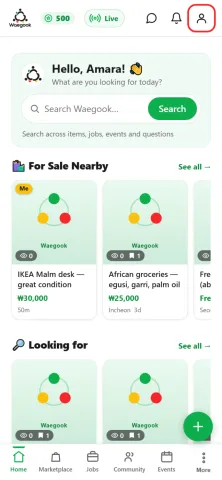
Step 1From the home screen, tap the person icon (top-right) to open your profile.
-
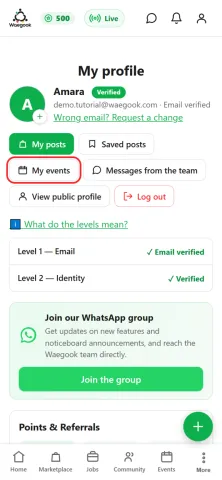
Step 2Tap “My events” to see the events you’re hosting.
-
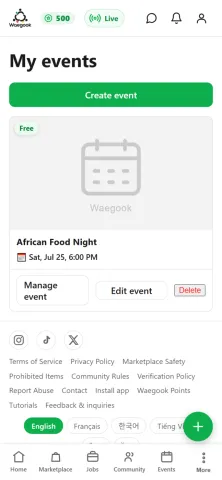
Step 3Tap the event you want to manage.
-
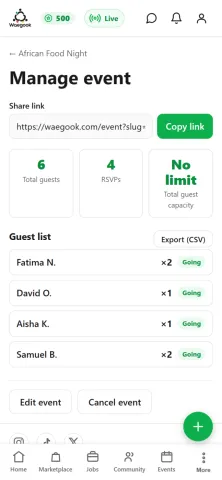
Step 4Copy the share link to invite people, see who’s coming and the guest list, and tap “Edit event” or “Cancel event”. If you cancel, your guests are notified.
-
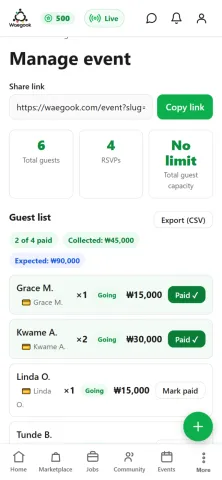
Step 5For a paid event, the guest list also shows each person’s amount and whether they’ve paid. Tap “Mark paid” as attendees pay you, and track the total collected vs expected.