Buy a ticket by card on Waegook
For guests. Choose your tickets (even different types, like Normal and VIP), pay once by card or pay app, get your tickets straight away, give one to a friend, and cancel for a refund if your plans change.
-
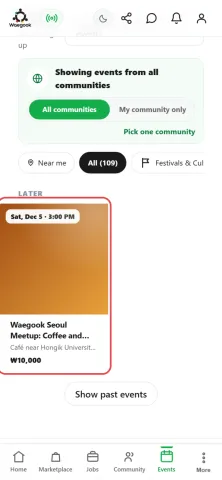
Step 1Open Events and tap the event you want. If you know its name, type it in the search box at the top of the page.
-
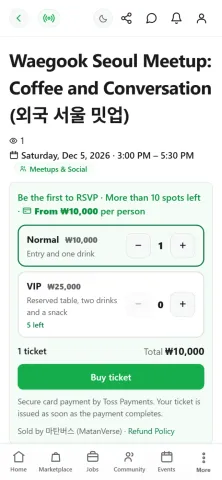
Step 2The event page tells you what happens, when and where, and the price. "From" means there are several kinds of ticket. Read the details before you buy.
-
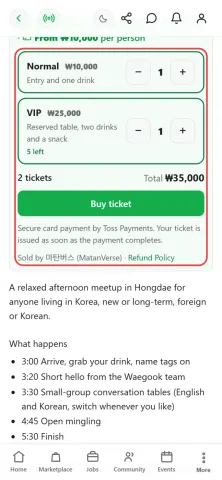
Step 3Pick how many of each ticket type you want with - and +, for example 1 Normal and 1 VIP. The total adds up for you, and each type says what it includes. Check who is selling and the refund policy, then tap "Buy ticket". You need to be logged in.
-
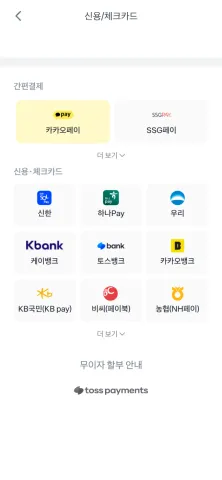
Step 4The secure Toss Payments window opens. Pick your card company or a pay app such as KakaoPay or NH Pay, then approve the payment in that app. You pay for all your tickets at once. The window is in Korean: 신용·체크카드 means credit and debit cards.
-
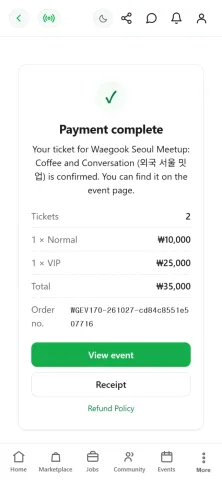
Step 5You come back to Waegook and see "Payment complete", with each ticket type, the total and your order number. Tap "Receipt" if you need the card receipt.
-
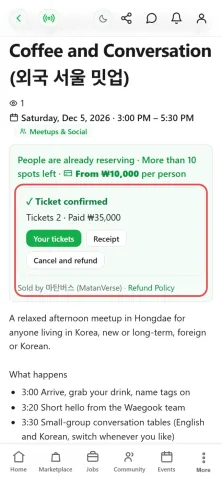
Step 6The event page now says "Ticket confirmed". Tap "Your tickets" to see them.
-
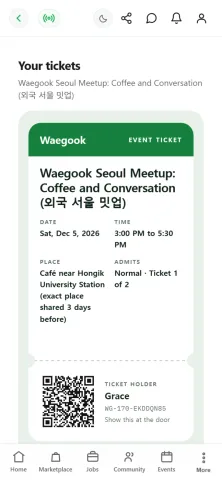
Step 7Every ticket has its own QR code. At the door, show it and the organizer scans it. Nothing to print.
-
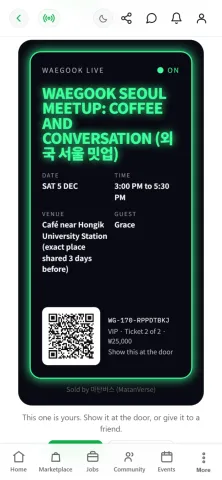
Step 8Each ticket type can have its own look: here the VIP ticket uses a night design. Under every ticket you can open it, give it to a friend, or share a copy to show off. A shared copy cannot get anyone in.
-
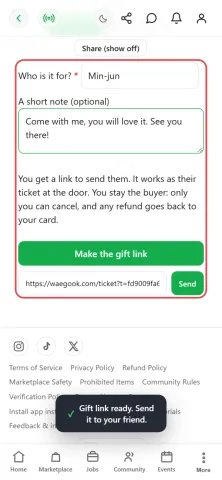
Step 9To give a ticket away, type your friend's name and a short note, then send them the link. That link is their ticket at the door. You stay the buyer: only you can cancel, and any refund comes back to you.
-
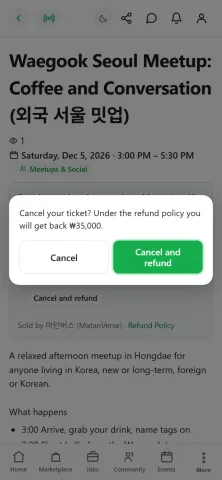
Step 10Plans changed? Tap "Cancel and refund" on the event page. Waegook shows exactly how much you will get back before you confirm. It cancels every ticket in the order, and the money goes back to the card you paid with.
-
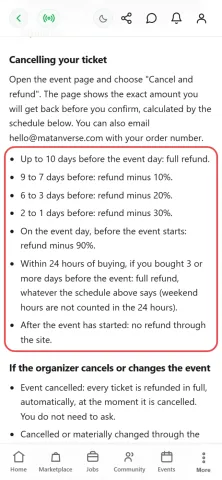
Step 11How much comes back depends on how close the event is. You get everything back up to 10 days before, or within 24 hours of buying if the event is 3 or more days away. If the organizer cancels, everyone is refunded in full automatically.